Getting Started with CoPilot Reports
Last updated: June 6, 2025
Running a creative testing flywheel doesn’t mean you need to drown in dashboards or play detective with performance data.
Copilot is your behind-the-scenes creative analyst, auto-sorting your ad library so you can focus on the big stuff: scaling what works and improving what doesn’t.
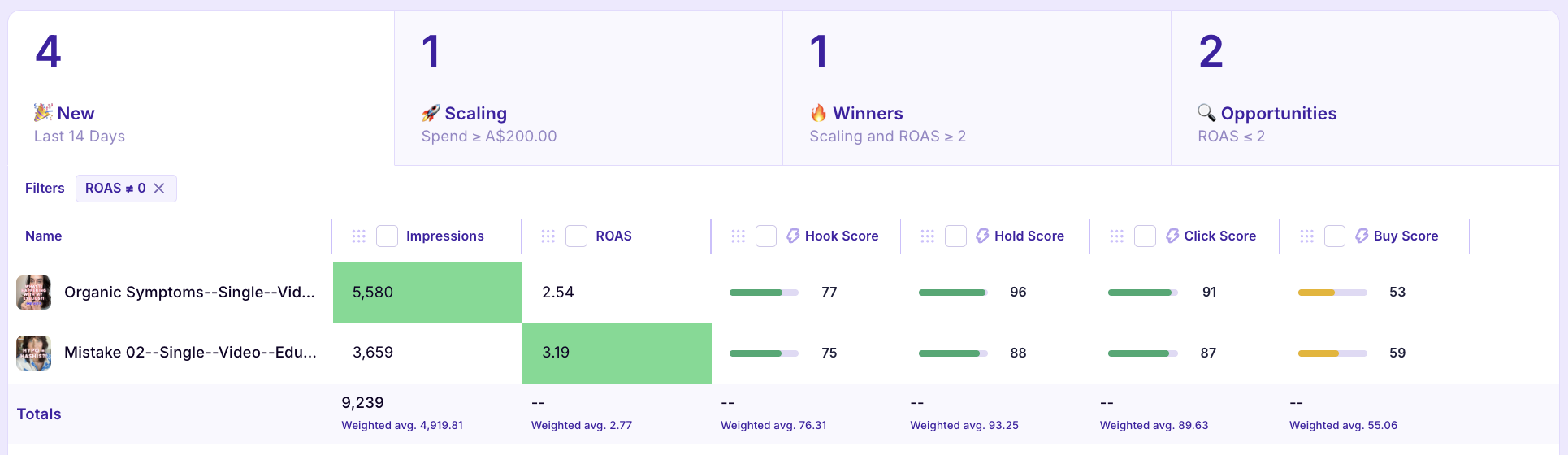
What Copilot Does
Think of Copilot as your creative sorting hat — one that’s actually helpful and doesn’t talk back.
Here’s how it breaks things down:
New = Ads launched recently (within a custom time range you set)
Scaling = Ads that have spent above your custom spend threshold
Winners = Scaling ads that also hit a performance goal you define — these are your gold standard
Opportunities = Ads that spent but didn’t perform — ripe for iteration, or time to cut ‘em loose
No spreadsheets, no second-guessing. Copilot keeps your feed clean and your decisions clear.
Set Up Copilot
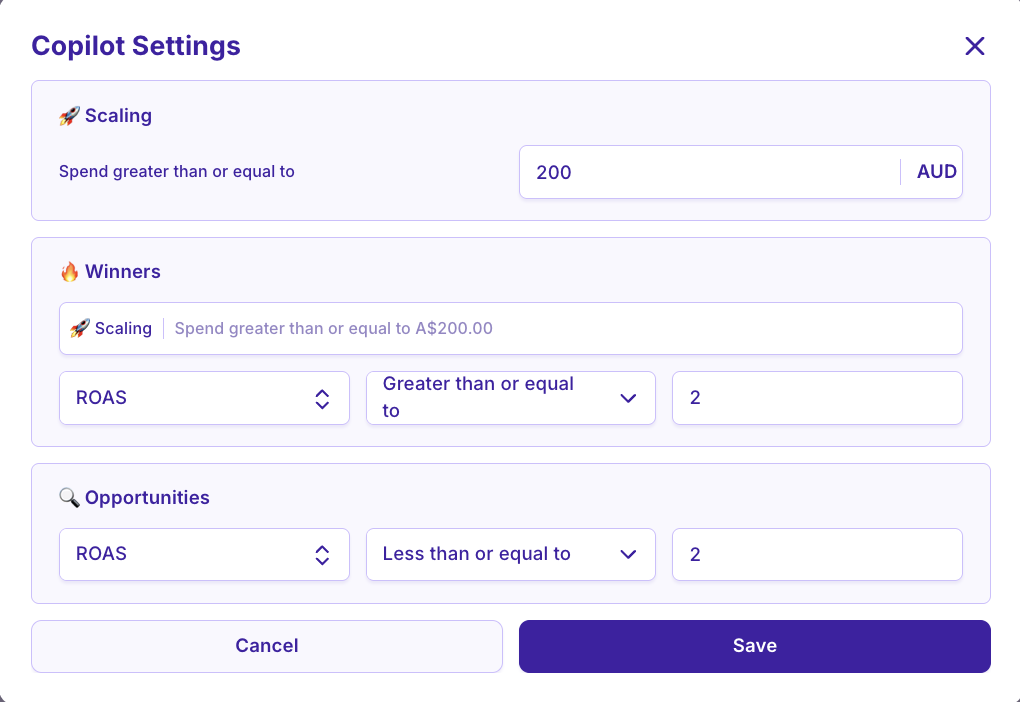
Click into Copilot Settings
This opens your configuration panel where the magic happens.Set your spend benchmark
This is the minimum amount an ad needs to spend to be considered for scoring. (We recommend at least $250 for meaningful insights.)Define your performance goal
Whether it’s ROAS, CPA, CTR — you choose what “success” looks like.
Choose your “New” window
Set the timeframe for what counts as a recently launched ad (e.g. last 7 days, 14 days, etc.)
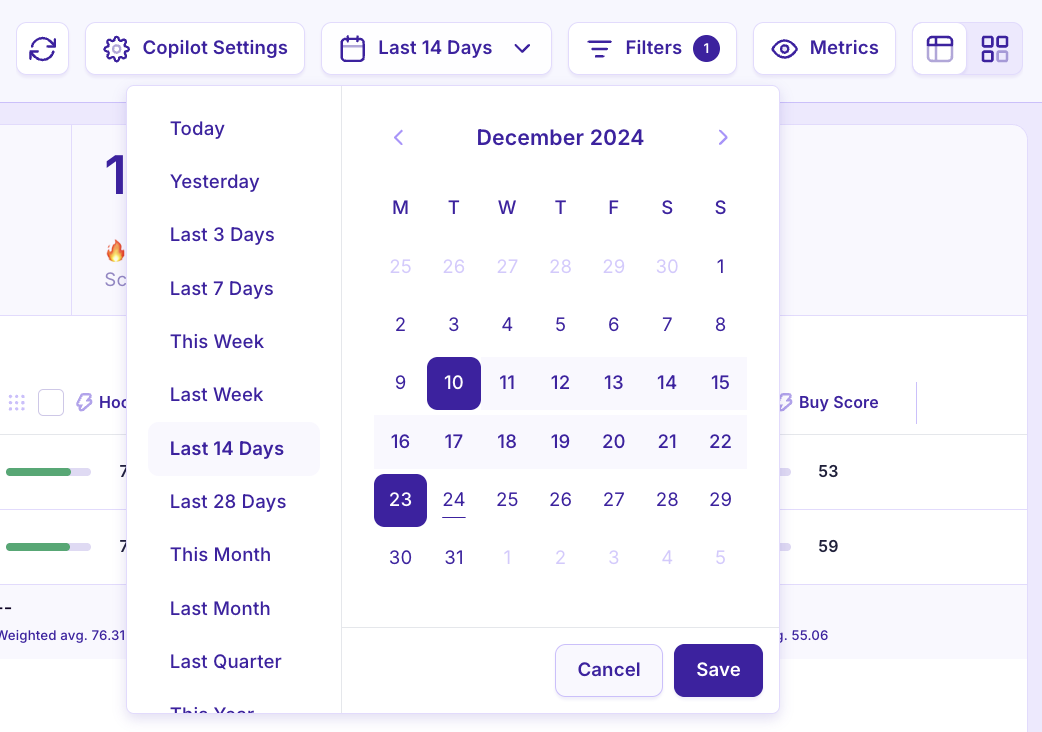
Add filters or tags
Want to analyze only TOF creatives or a specific campaign? Apply filters to keep your analysis focused.

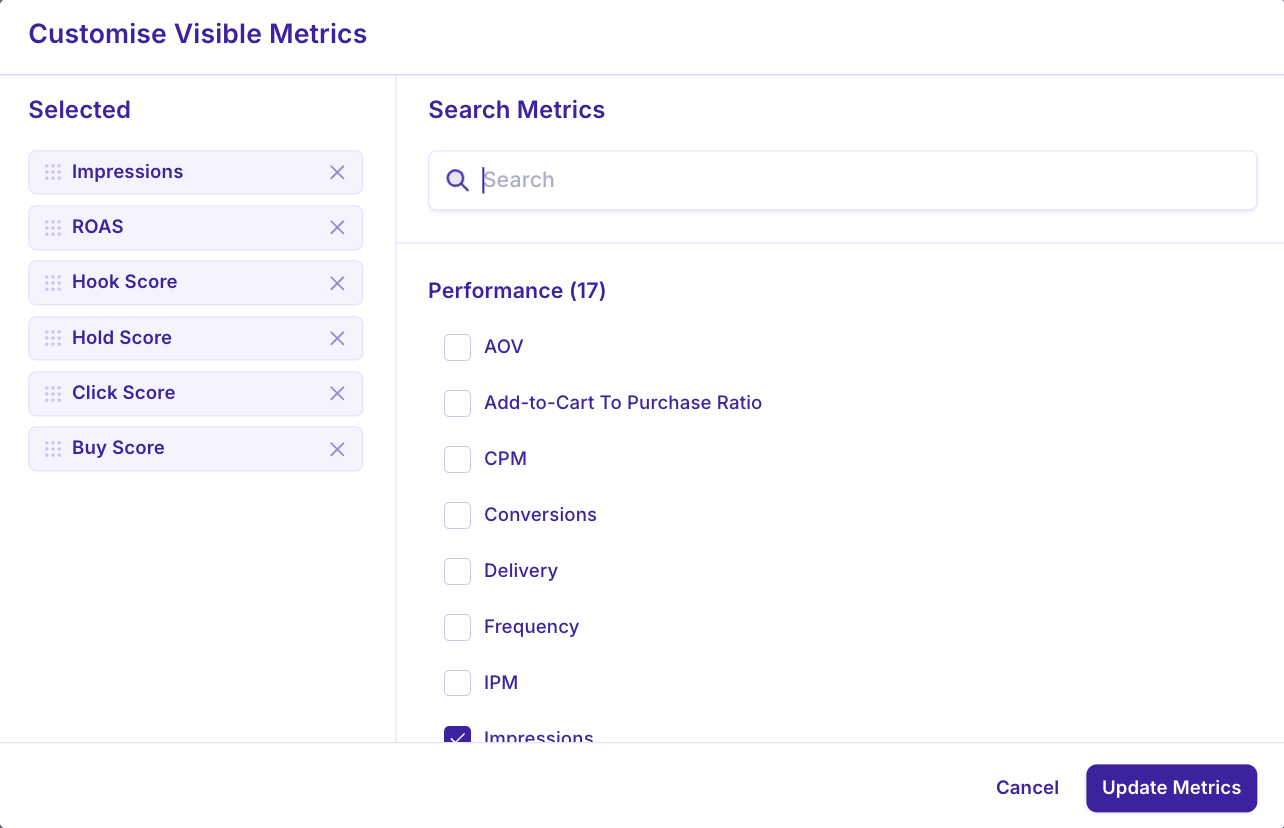
Customize your visible metrics
Add the KPIs you care about most so you can scan performance at a glance.
Pro Tips
Copilot works best when you’ve got consistent ad naming conventions and a clear testing strategy.
Update your performance benchmarks regularly as your account matures.
Use Copilot alongside your Creative Concepts view to understand why your winners are winning.
Learn more about CoPilot: Smart Badges + Creative Scoring