Custom Tagging
Last updated: January 17, 2025
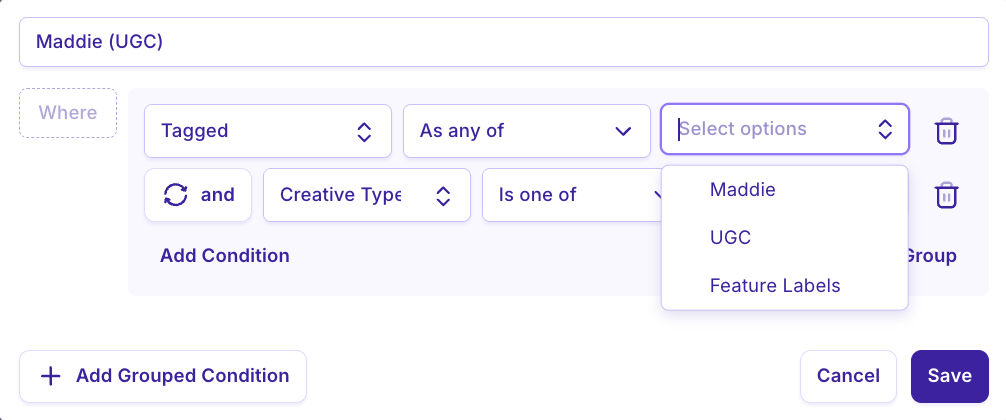
Custom Tagging allows you to tag and track specific creative elements across your ads without perfect naming conventions.
Track the performance of specific creators, offers or themes by adding them as tags
Group-By tags in your reports to review the element you want to measure
Find patterns in your top performing content.
How to Add Tags
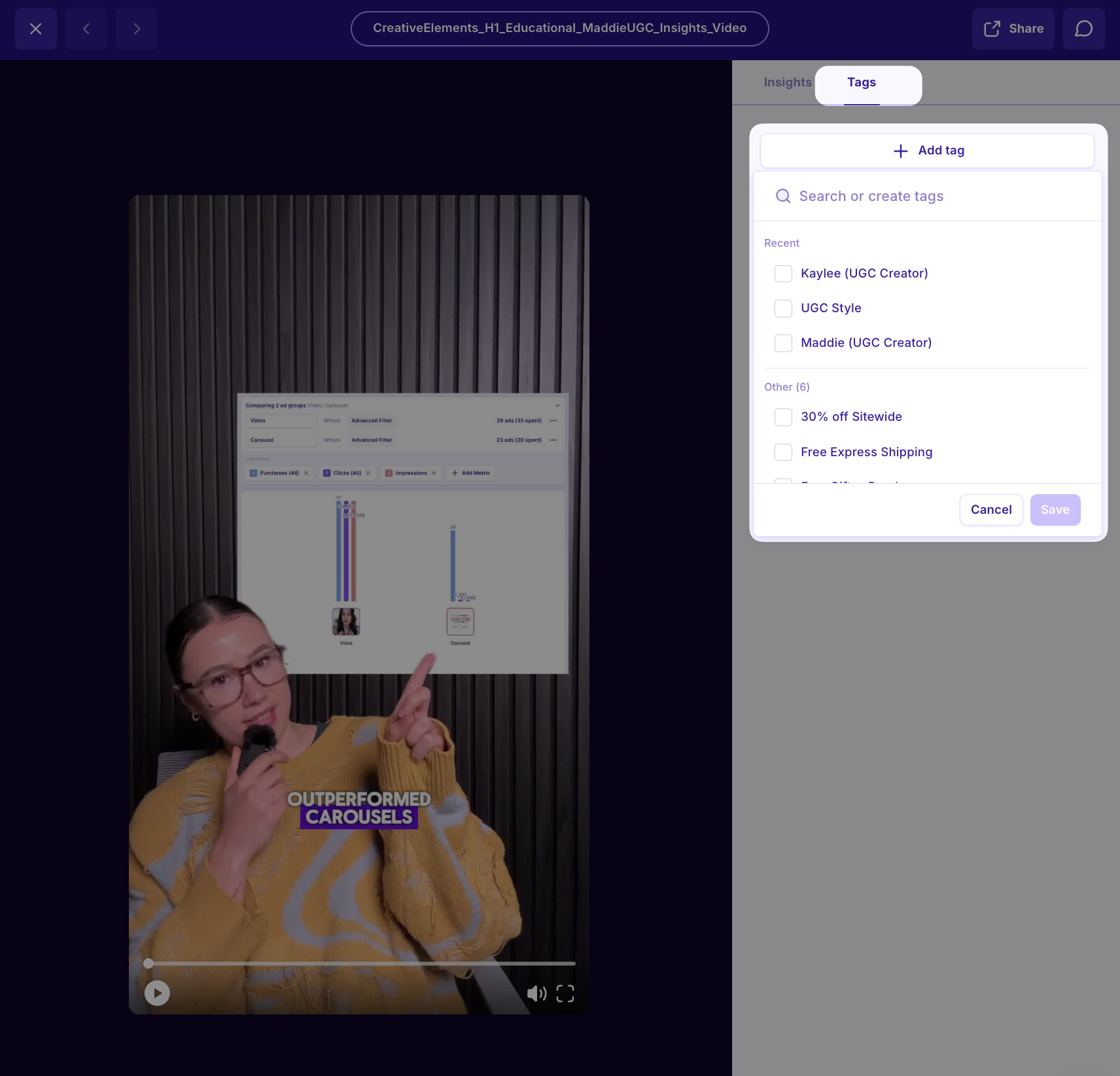
Open any ad in Insights into the full screen ad detail view
Toggle to the “Tags” section on the right side bar
Add or Create new tags
Hit Save!
How to Use Custom Tagging in Reports
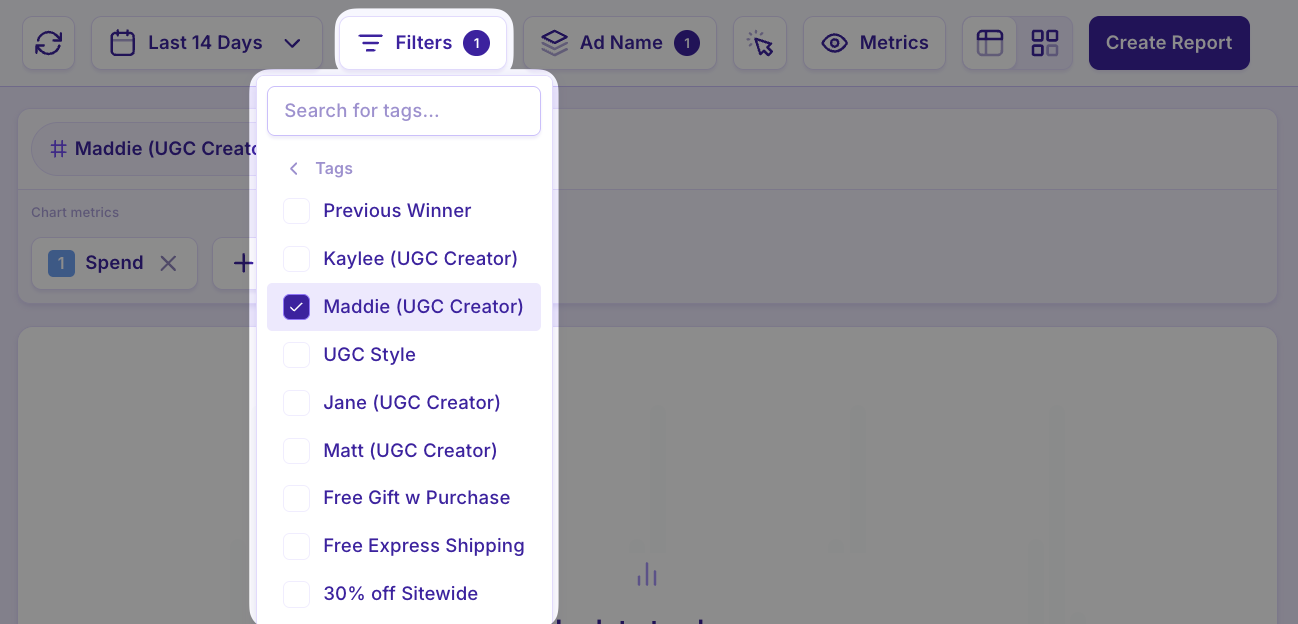
FILTERS: When adding Filters in reports, select Tags > select the tags you want to filter by.
COMPARISON GROUPS: When creating comparison reports, used “tagged” to group your ads by their tags