Navigating the Discover Library
Last updated: January 17, 2025
Our Discover library features over 12 million ads from more than 250,000 brands, with new content added hourly. Using AI performance estimates, we curate the feed to show only high-quality ads, filtering out spam and low-quality creative. This gives you better references for your research, saving valuable time.
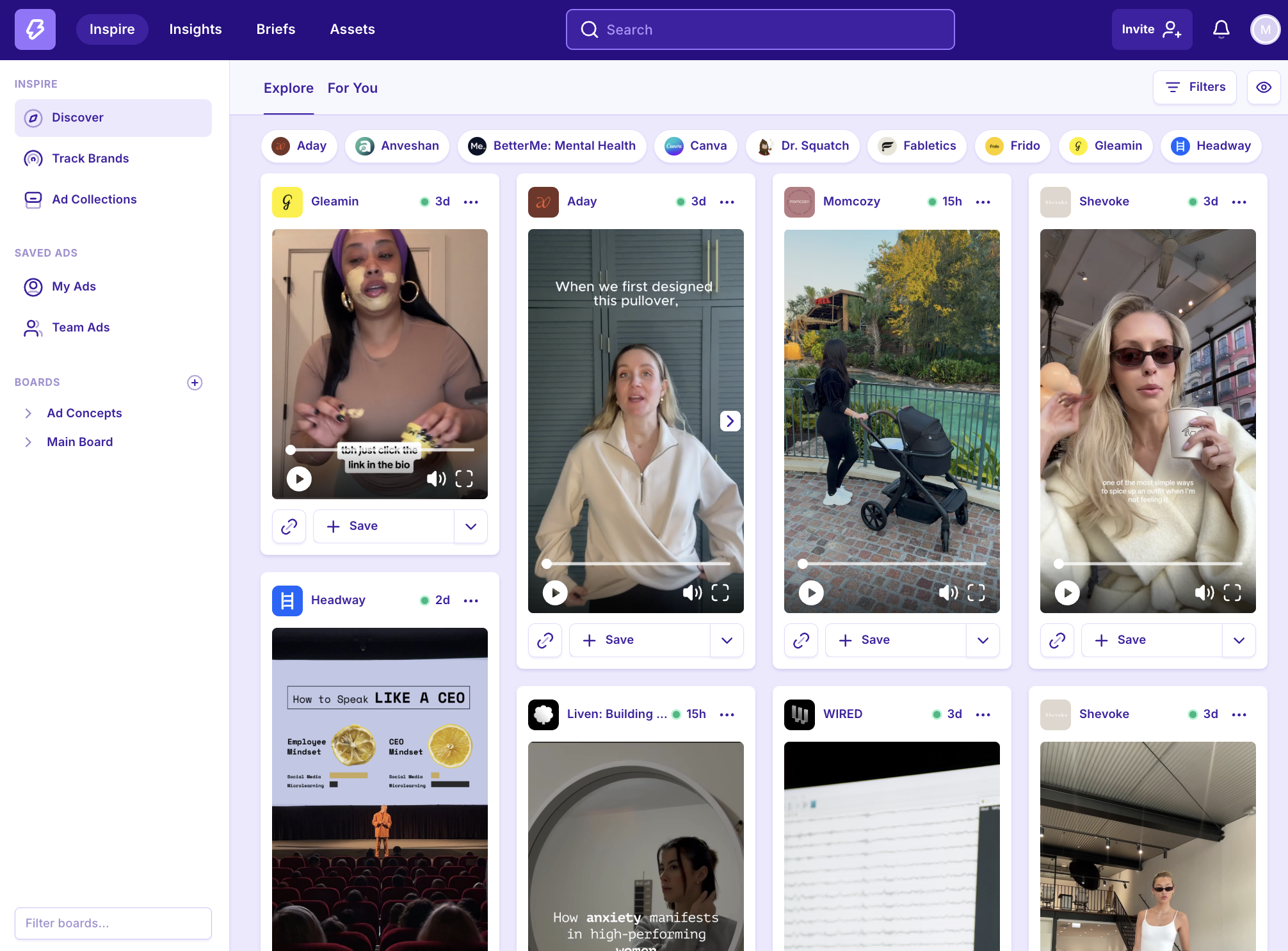
‘Explore’ Feed
The Explore feed is a randomised, constantly updated stream of ads - think of it like a Pinterest, but for ad creative!
Ad Detail View
Click any ad on MagicBrief to see this Ad Detail View.
LEFT PANEL = Review ad copy and CTAs
RIGHT PANEL = Take action and view further information
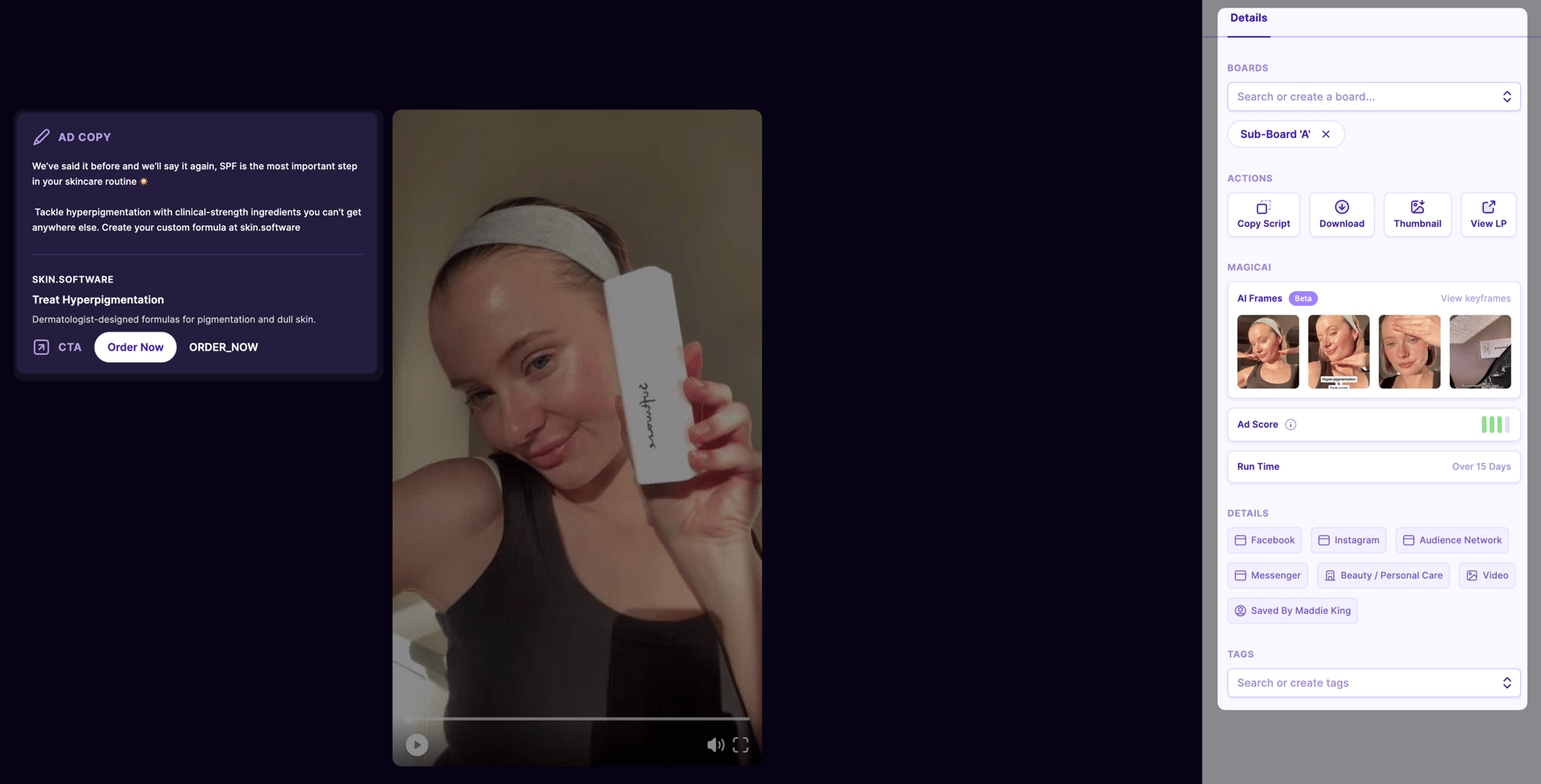
Explainer of the Right Side Panel:
Boards:
Save ad into a board or see which board it’s already in.
Actions:
Copy script - instantly copy script to clipboard
Download - download asset to device
Thumbnail - view and download thumbnail image
View LP - click into the landing page used for the ad
Magic AI:
AI frames - view keyframes of the asset to use as a storyboard (video only)
Performance Estimate - a score calculated based on benchmarking 60 different attributes of high performing creative
Run time - how long the ad was live for
Details:
Relevant tags about platform, theme, format etc.
Tags:
Add custom tags to search and find assets easily within ‘My Ads’ and ‘Team Ads’ (added tags are private to you and your team)
AI Smart Search
Find what you need in the explore feed by searching brands, industries, or themes.
For every search term, you can also select where to look for it: inside the ad copy, images, or verbal transcripts. Or just choose the top option and let AI surface the most relevant result.
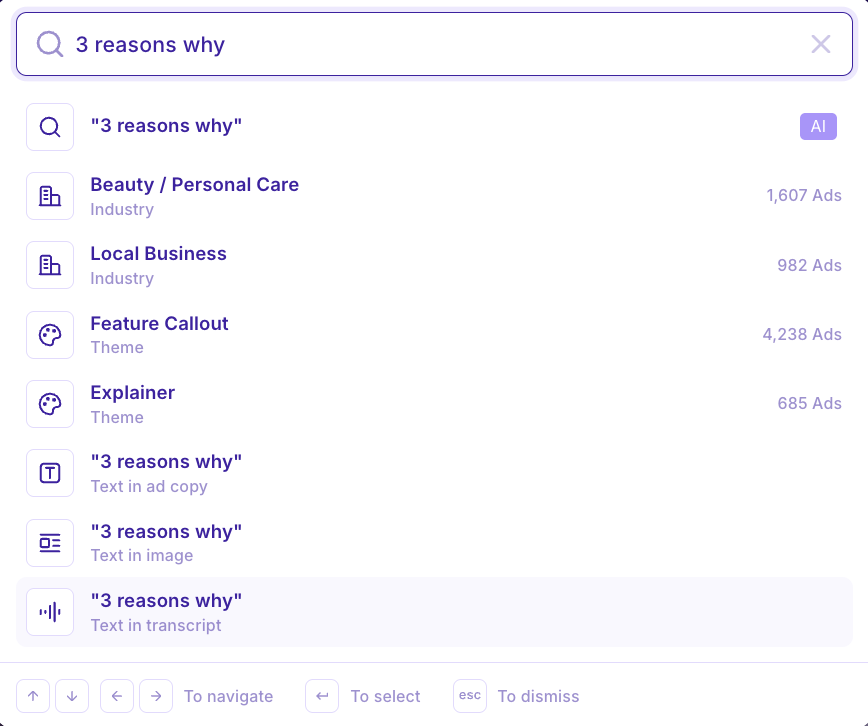
🔮⚡️ Magic Tip: For visual references for statics eg. Us vs Them - searching “text in image” will be most relevant. For themes where the words might only be said in the voice over eg. 3 Reasons Why - searching “text in transcript” will be the most relevant.
Filters & Visual Settings
Use the “Filters” button in the top right to further refine your feed. If you’ve added custom tags to ads, you can also filter by those tags.
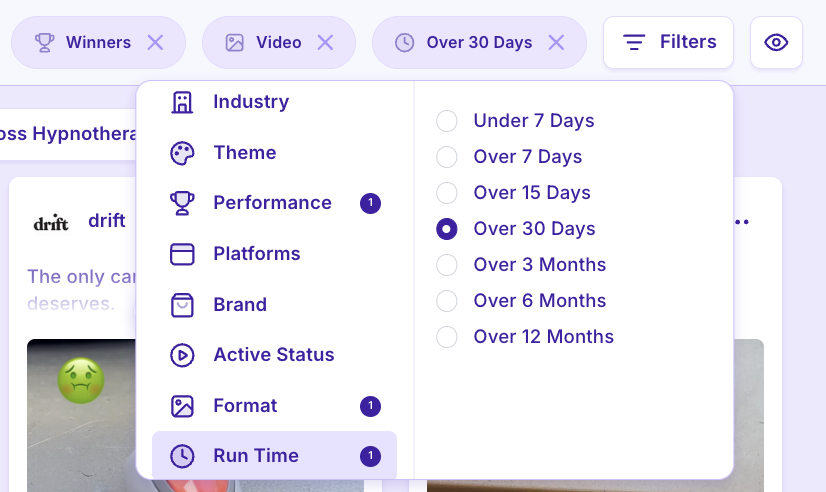
Use the “👁” button to adjust your visual settings where you can select to see the ad copy, headline & CTA, or toggle between viewing the run time or the performance estimate of ads in the feed.
AI Performance Estimates
Ads in the MagicBrief library are assigned a score on a scale of 1-4 to help you make sense of what ad formats are really working.

Ads with 4 bars are most likely to have been winners while those with 1 bar are the least likely to have performed well.
If you see an ad with no coloured bars (grey only), it is still awaiting scoring.
Ad performance estimates are calculated using MagicAI, which analyses over 60 attributes of high performing creative, such as:
the quality of the script
editing pace and;
ad longevity
💡Note: Scores are estimates only, which rely solely on publicly available information. They are not derived in any way from direct ad account performance data.
Save & Share Ads
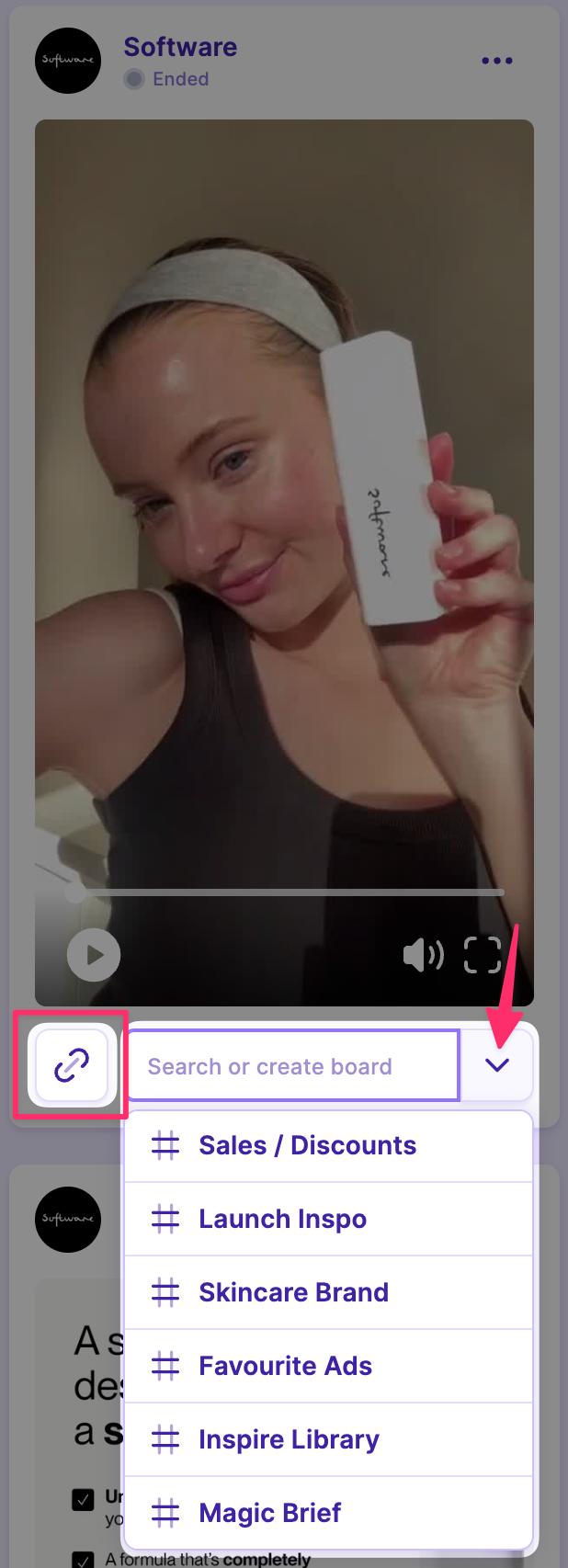
Share any ad by clicking the “🔗” icon to generate a sharelink (shown in pink box)
Save any ad by clicking the down button (pink arrow) and selecting the board you’d like to save it into.
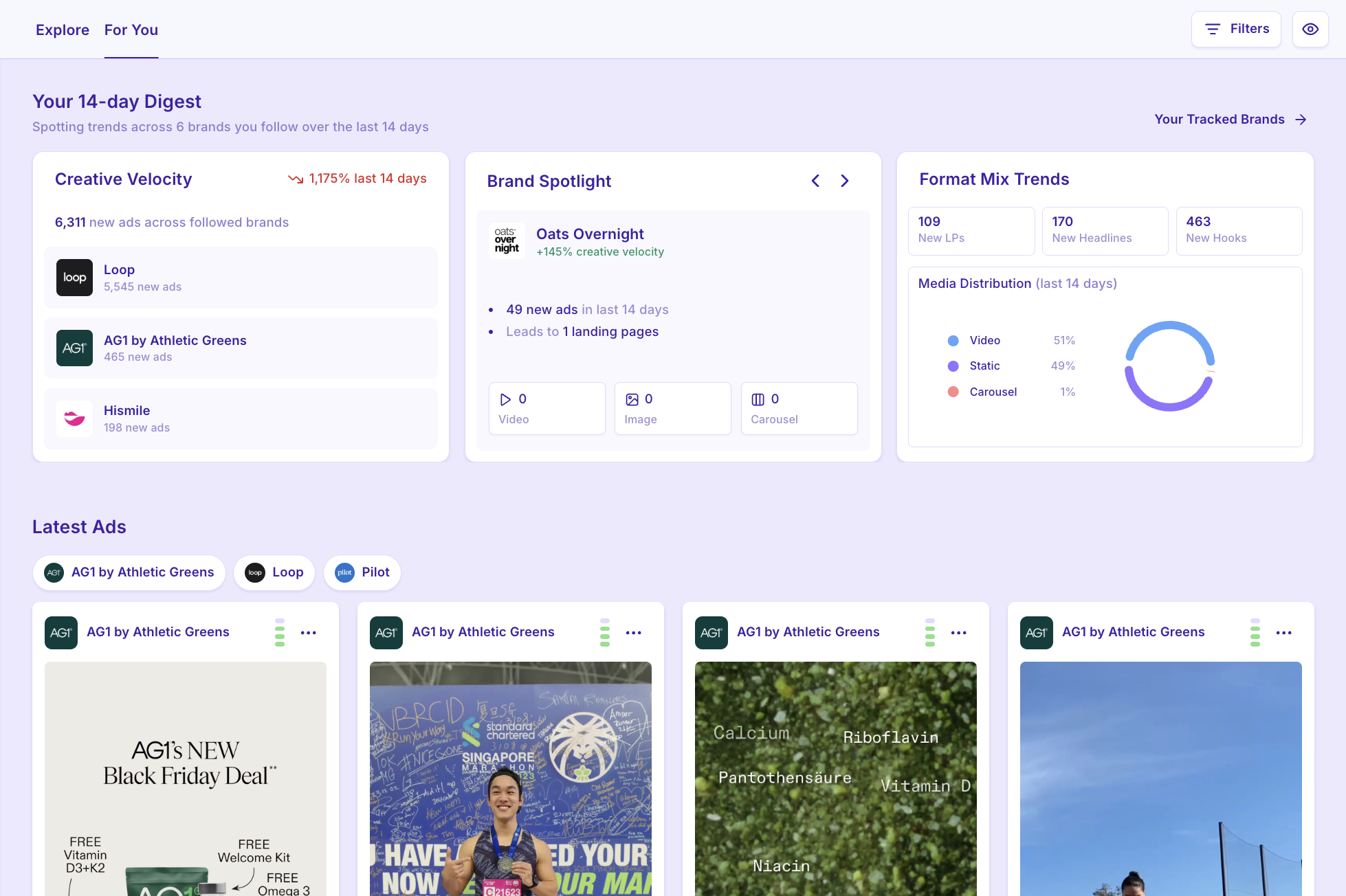
‘For You’ Feed
The “For You” feed is a customised feed of creative from the brands you follow in MagicBrief.
Your 14-Day Digest includes:
Creative Velocity: An overview of new ads launched from the last 14 days
Brand Spotlight: Big movers that have recently increased their creative velocity
Format Mix Trends: A breakdown of new landing pages, headlines and hooks + a media split of formats being tested.