Data Discrepancies Between MagicBrief and Ads Manager
Last updated: April 22, 2025
Based on learnings from hundreds of customer conversations, these are the 4 variables we recommend you check to get to the bottom of why you are seeing data discrepancies vs ads manager.
1. Time Period Selection
An easy mistake is comparing data from different time periods. Make sure you've selected identical date ranges in both platforms to ensure you're analyzing the same timeframe.
2. Active Filters
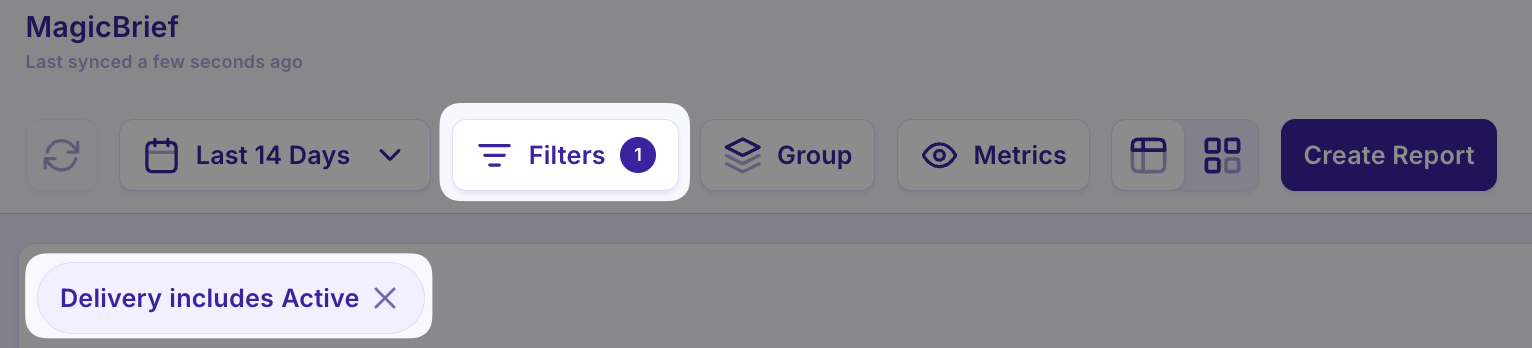
If you're seeing different numbers, first check if any global filters are active in MagicBrief. These filters can limit your data view to specific segments, so it's essential to verify that your MagicBrief filters align with your Ads Manager settings.
3. Attribution Settings
By default, MagicBrief uses a "7 Day Click | 1 Day View" attribution model. Your Ads Manager campaigns might be configured differently, leading to varying results.
Need to adjust MagicBrief's attribution window to match your preference? Instructions HERE
4. Data Grouping vs Individual Breakdowns
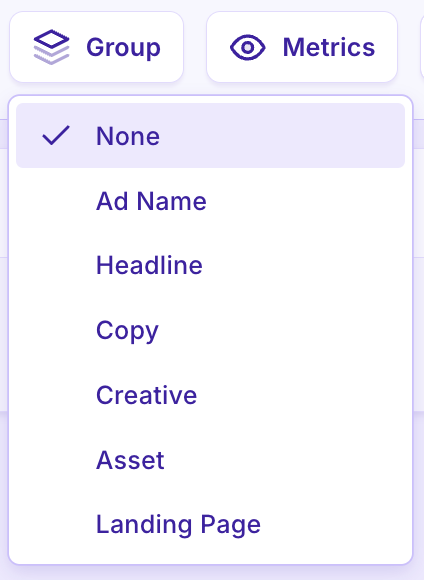
MagicBrief offers flexible data grouping options - you can organize by ad name, creative elements, copy, headlines, or destination URLs. For the closest match to Ads Manager data, group by ad name or NONE.
The platform allows you to view either grouped statistics or drill down to individual ad performance by expanding specific groups.
Still Seeing Issues?
If your metrics still don't align after checking these elements, our support team is ready to help through the chat feature in the bottom right of your screen.